2026
4R Recycle
Making a complicated sales process easier to see, manage and move forward.
Role
UI/UX Designer
Year
2026
Product
B2B CRM
Focus
Sales operations · Opportunity management
4R Recycle is a B2B CRM built to help teams manage recycling opportunities from the first interaction through inspection, quotation, approval and closing.
Each of those stages belongs to a different person, and an opportunity can be sitting in any one of them at any time.
The challenge wasn't documenting that process. It was turning a multi-step operation into something a team could understand at a glance.
My job was to make the state of the work visible without anyone having to ask for it.
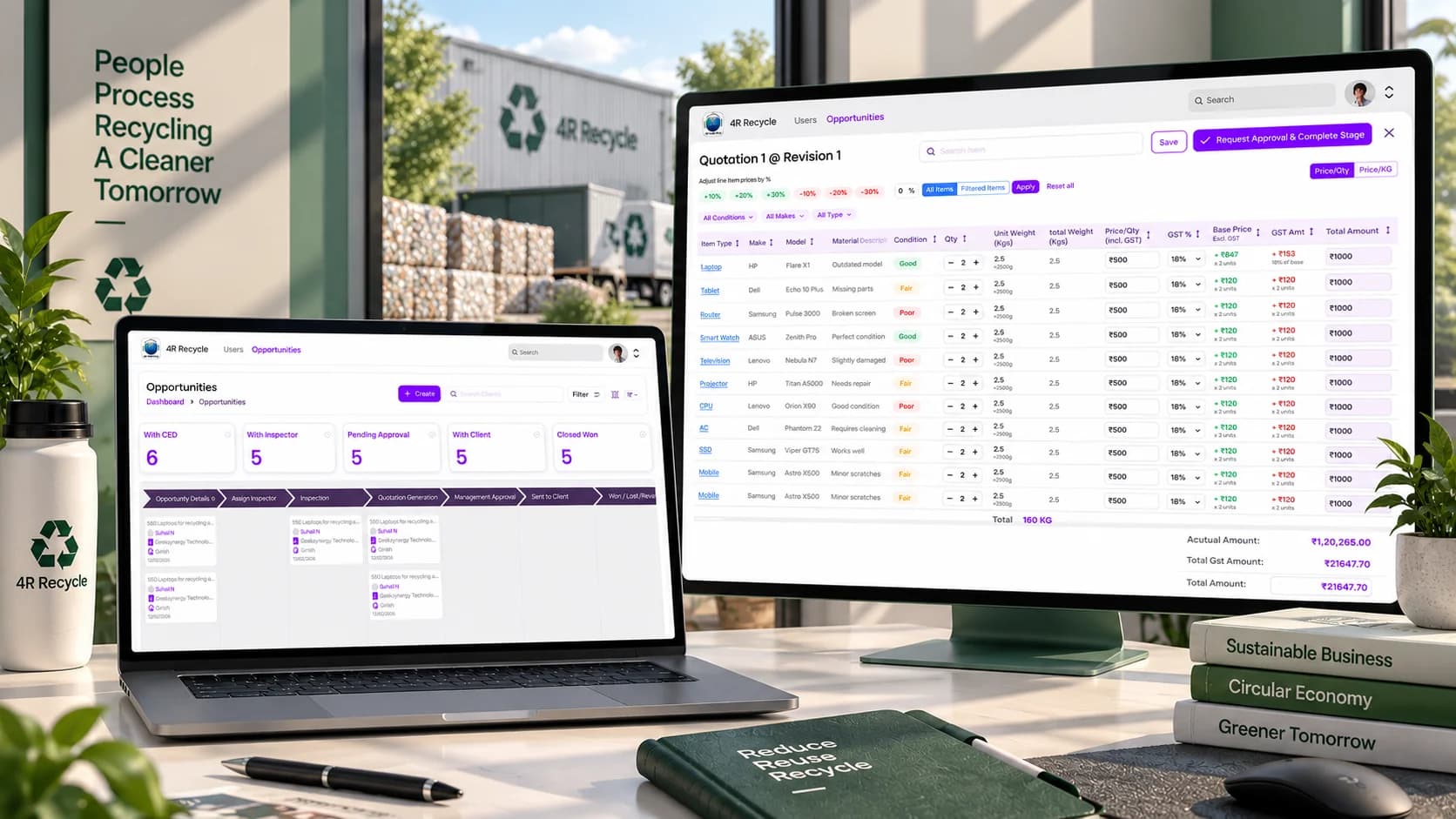
01 — The hook
A sales opportunity doesn't move in a straight line.
Opportunity
Sales
Inspector
Assigned by sales
Inspection
Inspector
Quotation
Sales
Approval
Management
Client
Sent out
Won / Lost
Closed
At 4R Recycle an opportunity passes through several people before it becomes a closed deal.
It starts with sales, goes out to an inspector, comes back as a quotation, waits on management, then sits with the client.
The CRM had to make that whole journey visible without making the team work harder to follow it.
Seven stages. Four sets of hands. One opportunity.
02 — The problem
The process had plenty of steps. The team needed one view of all of them.
- Sales team
- Inspectors
- Inspections
- Quotations
- Management approval
- Clients
- Status changes
Where is this opportunity right now?
A single opportunity can involve:
Sales teams.Inspectors.Quotations.Management approval.Clients.Several status changes along the way.
When all of that is happening at once, one question matters more than the rest:
Where is this opportunity right now?
Status, ownership and progress had to become the easy things to see, not the things somebody has to chase.
03 — The shift
So we stopped treating opportunities as records. And started treating them as moving work.
01 Opportunity
New opportunity
Sales
02 Assign inspector
Awaiting inspector
Sales
03 Inspection
On site
Inspector
04 Quotation
Being priced
Sales
05 Approval
Awaiting sign-off
Management
06 Sent to client
With the client
Client
07 Won / Lost
Closed
Or revise
what came in, what is being worked on, what is waiting, what closed
Instead of making people open a record to find out what is happening, the pipeline puts each opportunity in the stage it is actually in.
Every column is a step in the business process — from the first enquiry, through inspection, quotation and approval, out to the client, and on to won, lost or revise.
The board itself becomes the overview.
You can see what exists, where it is, and what has to move next.
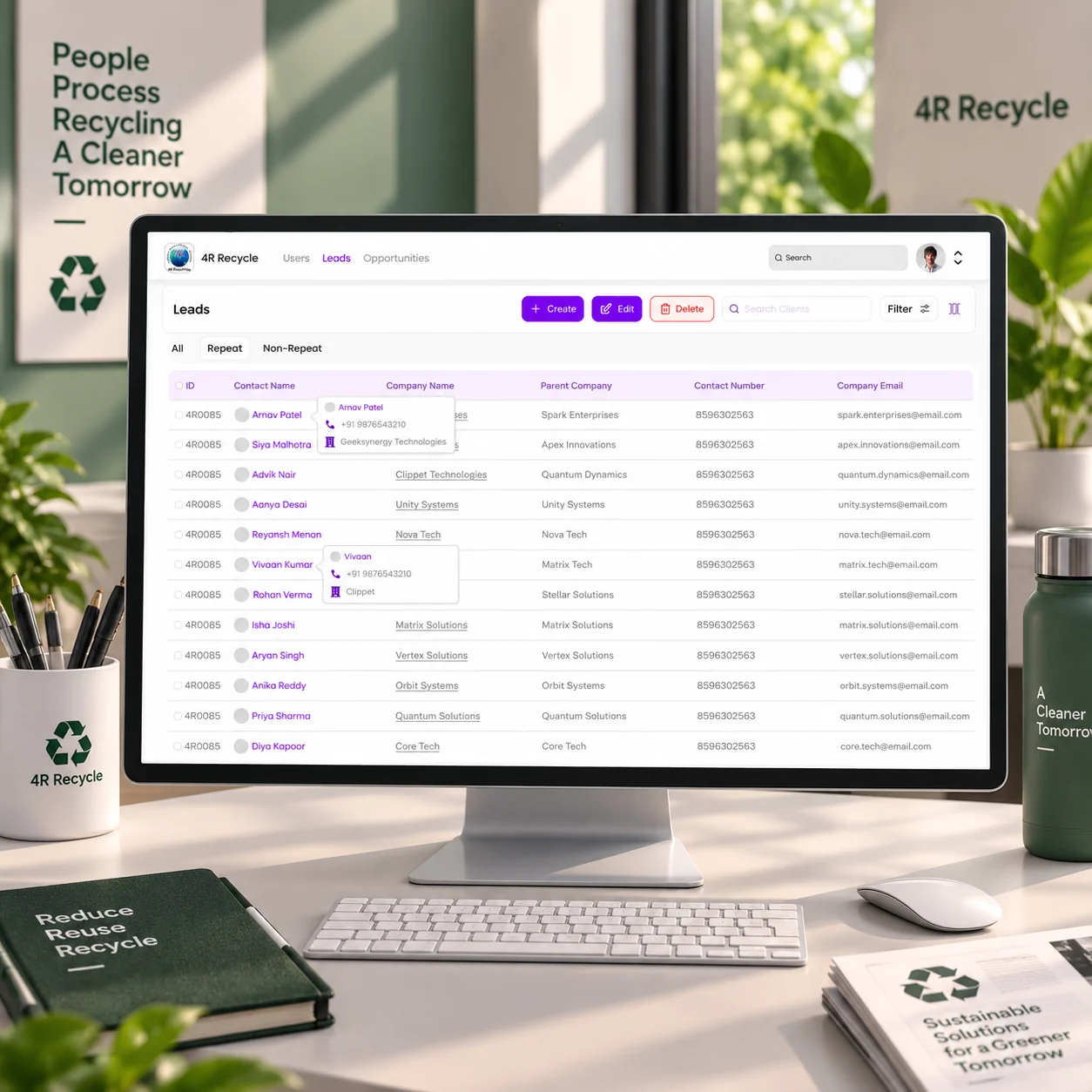
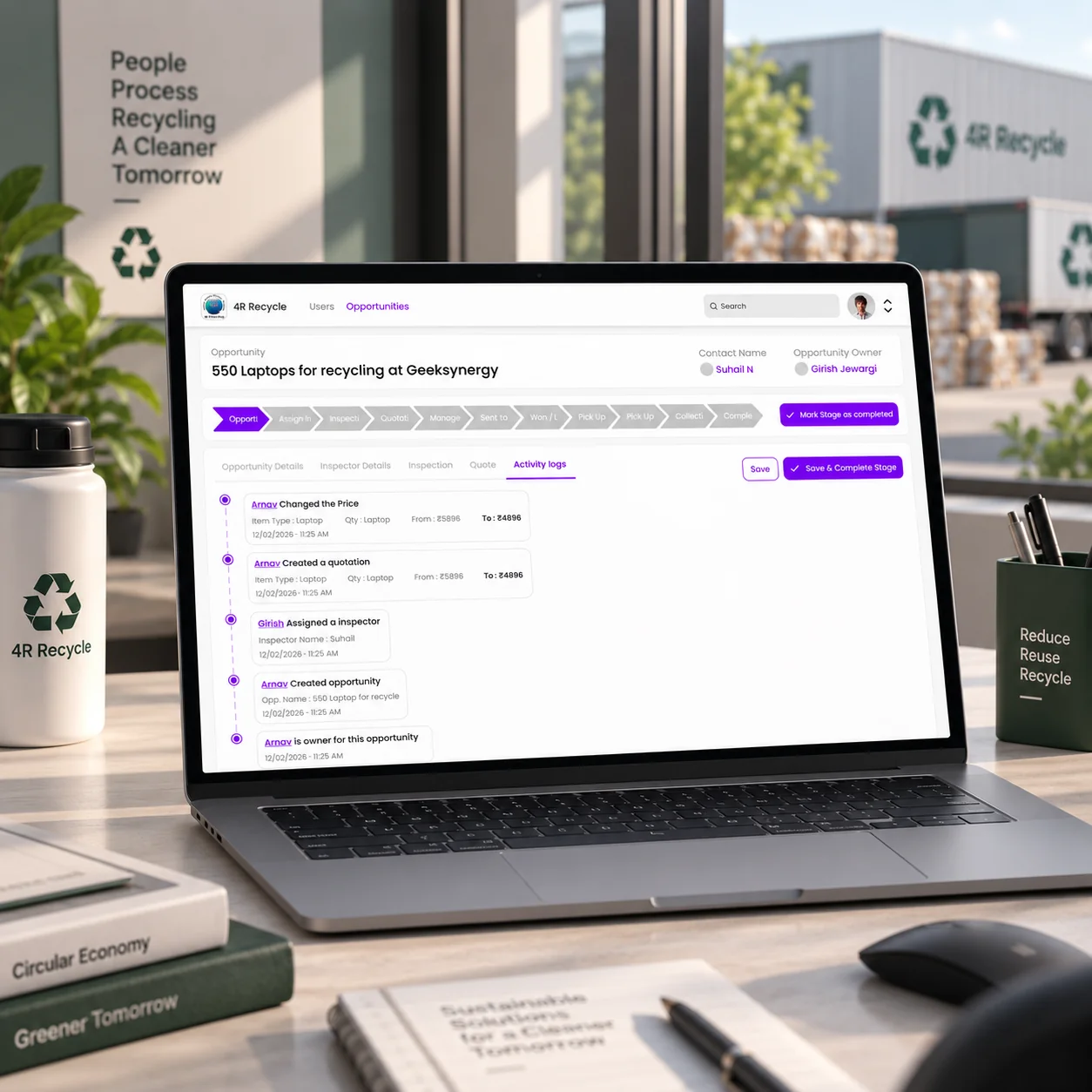
04 — The system
The pipeline became the control room.
At a glance
Summary
With CED · With inspector · Pending approval
Then
With client · Closed won
The point
Today's workload, before anything is opened
In the pipeline
The card
Client · Owner · Status · Tags
The column
Where it is in the process
The point
Follow one card without learning the system
Take action
Find
Search · Filter · Sort
Add
Create a new opportunity
The CRM brings the sales operation into one workspace.
At a glance. Summary cards give an immediate snapshot — with CED, with inspector, pending approval, with client, closed won. That is the current workload, before anything has been opened.
In the pipeline. Each opportunity card sits inside its current stage and carries the client, the assigned team member, the status and its tags.
Take action. Search, filter, sort and create sit around the board, so the workspace supports the work rather than only reporting on it.
Nobody has to understand the whole system to understand one opportunity. They can just follow where the card sits.
05 — The decision
The hard part wasn't showing every stage. It was showing the right amount in each one.
Client
Opportunity
Assigned team member
#tag
Who
The client it is for
What
The kind of opportunity
Owner
Whose move it is next
Context
The tag that says what it is
everything else lives one tap deeper
A pipeline gets overwhelming quickly.
Every opportunity has information attached to it, and putting all of it on every card would make the board impossible to scan.
So the card answers only the immediate questions:
- Who is this for?
- Who owns it?
- What kind of opportunity is it?
- Where is it in the process?
The detail lives deeper inside the opportunity.
The pipeline stays focused on movement and visibility.
06 — The trade-off
More information gives control. Less information gives clarity.
Too much information
A board you can still scan
Too little to act on
Pipeline
Status · Ownership · Context
Opportunity
Detail · Documents · Actions
The CRM needed both.
Too little on the card and the team opens opportunities constantly just to work out what they are.
Too much and the board stops being scannable at all.
So the interface separates the two:
- Pipeline
- Opportunity detail
The pipeline carries status, ownership and context. The opportunity carries the detail, the documents and the actions.
The main workspace stays focused, and none of the information is actually lost.
07 — The result
From a complex sales process to one visible pipeline.
- Opportunity
- Inspection
- Quotation
- Approval
- Client
- Closed
The CRM brings the operational journey into a single workspace.
The pipeline became more than a sales tracker. It became a shared view of how work moves through the business.
What the workspace does:
01
See
Understand the current state of the pipeline.
02
Assign
Know who is responsible for the next stage.
03
Move
Track opportunities as they progress through the workflow.
04
Review
Keep quotations and approval visible inside the process.
05
Close
Mark what is won, lost, or back for revision.
08 — The reflection
Good operational UX makes complicated work feel obvious.
The process behind 4R Recycle has a lot of moving parts.
But nobody using it should have to think about the complexity of the system every time they open it.
They should be able to look at the pipeline and know:
- What's happening?
- Who's handling it?
- What's waiting?
- What needs to happen next?
That's where the interface does its job.
When the workflow is complicated, clarity becomes the feature.
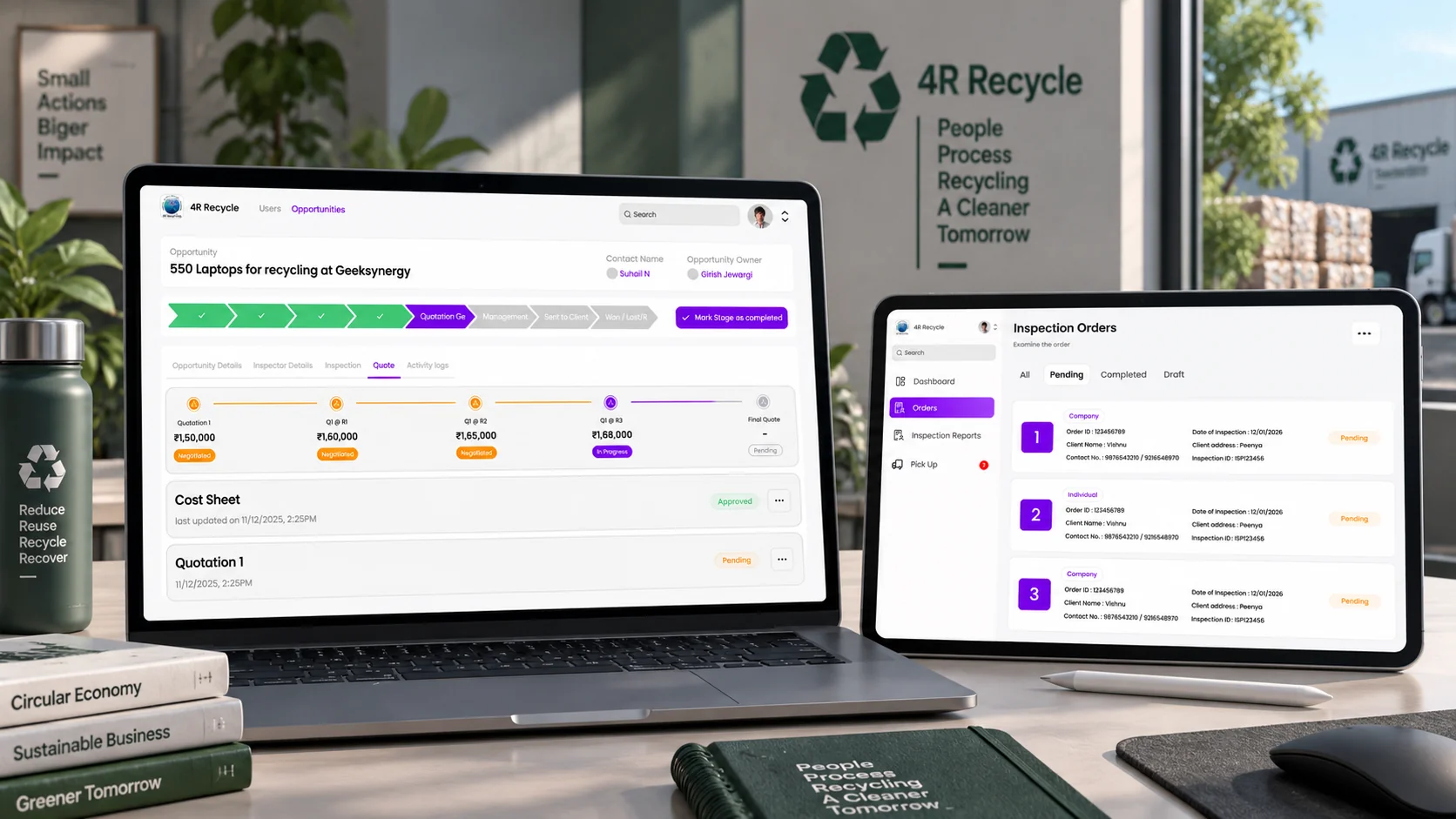
Comment
Suhail
Throw me the messy one. Those are the good ones.